 vs
vs TurboScribe
TurboScribe Alternative: VideoToBe vs TurboScribe (2026)
Updated September 2026
If you're looking for a TurboScribe alternative, it usually comes down to one thing: you don't want to be locked into a monthly subscription just to transcribe a file. That's the core difference here. TurboScribe is subscription-only for unlimited use. VideoToBe gives you two ways to pay — pay for a single file with no account, or subscribe when you're a heavy user. This is an honest comparison, including where TurboScribe is actually ahead.
Two ways to pay (this is the real difference)
1. One-off, no account — VideoToBe Express. Upload a file, get the transcript by email. No signup, no subscription. Short files are free (3 per day). Longer files are pay-per-file: $4.99 for the first 30 minutes, $1 per extra 30 minutes (a 45-minute recording is about $5.99). Perfect for the one interview or lecture you just need done.
2. Subscription for serious users — VideoToBe Studio. A searchable library, team collaboration, meeting recording and more, from $8.33/month billed yearly.
TurboScribe only offers option 2. If you just have one file, you either burn a free-tier slot or pay for a whole month. That's the gap.
TurboScribe vs VideoToBe: the honest comparison
| VideoToBe | TurboScribe | |
|---|---|---|
| Pay per file (no subscription) | ✅ $4.99 first 30 min, $1/block | ❌ Subscription only |
| Free plan | 3 files/day, 30 min each | 3 files/day, 30 min each |
| No account to start | ✅ Transcript by email | Sign-in required |
| Subscription price | $14.99/mo · $8.33/mo yearly | $20/mo · $10/mo yearly |
| Edit the transcript | ✅ | ✅ |
| AI chat with your transcript | ✅ | ✅ |
| Team workspace & library | ✅ Studio | ❌ Single-user focus |
| Languages | 90+ | 98+ |
| Export formats | TXT, SRT, VTT | TXT, SRT, VTT, PDF, DOCX, CSV |
On subscription VideoToBe is cheaper — $14.99/mo (or $8.33/mo yearly) against TurboScribe's $20/mo (or $10/mo yearly). Two things TurboScribe genuinely does better: more languages and more export formats (PDF, DOCX, CSV). If those matter to you, TurboScribe is a fair pick.
Fast, and you can actually work with the transcript
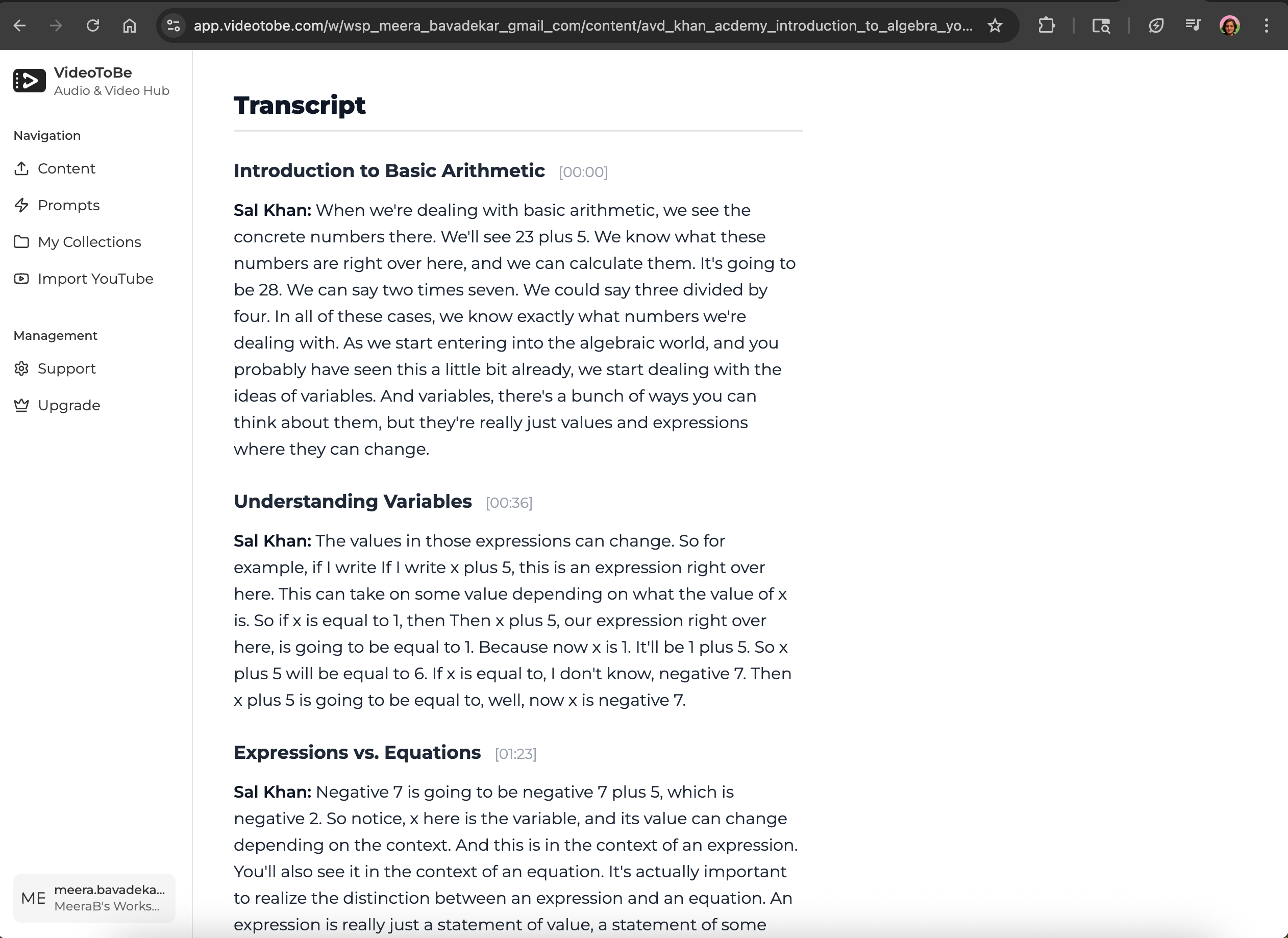
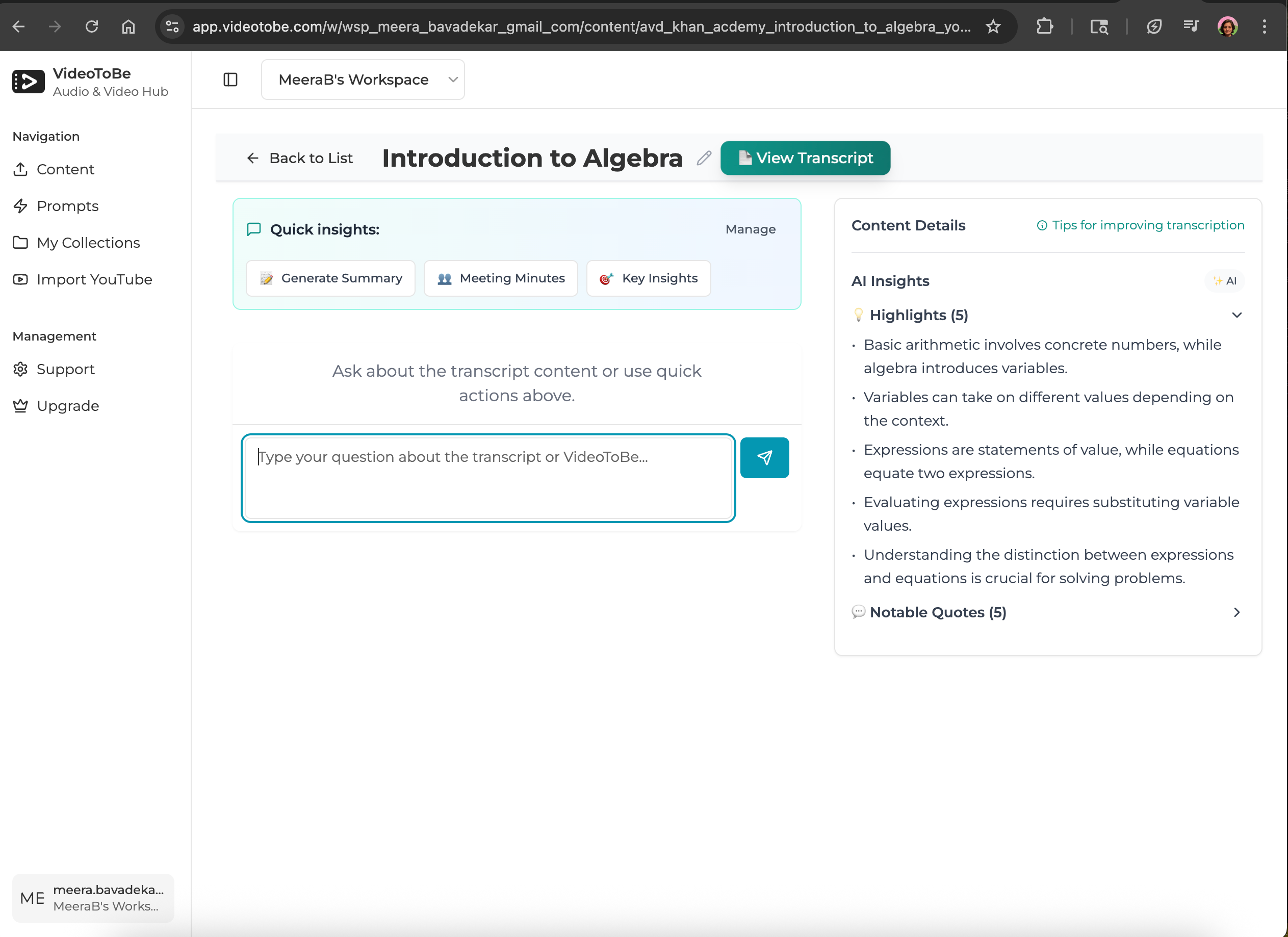
Most files come back in under 30 minutes. And you don't just get a wall of text — you can edit the transcript to fix names or clean up wording, and ask questions about it with AI chat.
Who should choose which
Pick VideoToBe if you are a:
- Occasional user who resents a monthly bill for one file — pay-per-file fits you.
- First-timer who wants a transcript emailed without creating an account.
- Team or creator who wants a shared library, editing and chat, at a lower subscription price.
Pick TurboScribe if you are a:
- Heavy multilingual user who needs one of its extra languages.
- User who needs PDF, DOCX or CSV export specifically.
Is TurboScribe free?
Yes, within limits: 3 files per day, up to 30 minutes each. Beyond that you need the Unlimited plan ($20/month, or $10/month billed yearly). VideoToBe's free tier is the same — but if you only go over the free cap now and then, you can pay for that single file instead of committing to a subscription.
Getting started with VideoToBe
No account (Express): Upload a file and get your transcript by email in minutes.
Studio (teams, editing, chat & library): Sign up free, then edit, chat with, and organize all your transcripts in one place.
Ready to try it? Transcribe a file free or start a Studio workspace.
